REVIEW · BOSTON
The Boston Bash Scavenger Hunt
Book on Viator →Operated by Alley Kat Adventures · Bookable on Viator
Boston has a talent for stories you can walk through. This hunt turns that idea into a hands-on game, with a live remote host guiding you while you chase clues around town. I especially like the interactive remote support and the way the photo-based check-ins keep everyone moving and laughing. The main drawback: some challenges may require you to talk to locals, so it helps if your group is up for that (and kids may need a little extra motivation—one family noted their energy dipped after about an hour).
You start in the center of it all, then split your attention between Boston’s landmarks and the next clue you’re working on. Expect a mix of outdoor stroll time and indoor stop time, plus bonus challenges that let you tailor the pace. It’s also a smart option if you want something more active than a standard sightseeing walk, without planning a complex route ahead of time.
In This Review
- Key things to know before you go
- Why a remote-host scavenger hunt works in Boston
- Getting started at Boston Common Carousel (45 Beacon St)
- Stop 1: Boston Tea Party Ships and Museum clue-solving
- Stop 2: Boston Public Garden outdoor challenges and team games
- Stop 3: Boston Common surprises to finish strong
- How the host, app leaderboard, and team ranking change the experience
- Bonus challenges: customizing the hunt to your group’s energy
- Phone and GPS rules: the one thing you must get right
- Who this scavenger hunt fits best (and who might want a different plan)
- Price and value: making sure it feels worth it
- A quick practical tip before you start
- Should you book Boston Bash?
Key things to know before you go

- Live remote host keeps the game interactive and answers your questions as you play
- Texting photos to your host turns check-ins into a fun part of the hunt, not a chore
- App leaderboard ranking gives your team a clear reason to stay competitive
- Bonus challenges help you customize the game for your group’s mood and energy
- Family and dog friendly means you can make this a low-stress outing for mixed groups
- Smart-phone + GPS requirement is essential since the hunt is remotely hosted
Why a remote-host scavenger hunt works in Boston
Boston is packed with big, recognizable places. The Boston Bash format takes that advantage and adds structure, so you’re not just walking—you’re solving. You’ll get a digital quest and then take off to hit the right checkpoints, with your live host in your back pocket.
I like that the host stays engaged without hovering. You’re still doing the walking and thinking, but you don’t feel abandoned. That support shows up in how often you’ll send updates (photos and messages) and how quickly the host can respond to questions or trouble spots.
One practical note: the game expects you to do more than look. It can include challenges that involve other people, so you’ll want a team vibe that’s comfortable with casual conversation.
You can also read our reviews of more tours and experiences in Boston.



Getting started at Boston Common Carousel (45 Beacon St)

Your hunt begins at the Boston Common Carousel at 45 Beacon St. This is a great starting choice because you’re already in the middle of a classic Boston scene—easy to orient yourself before you start chasing clues.
Plan to show up with your team ready to move. Since the game runs about 2 hours, you’ll get the best experience if everyone understands the mission early: follow the clues, accept the wacky challenges, and stay focused on the next checkpoint instead of doing detours.
You end back at the same meeting point. That makes your logistics simpler. There’s no awkward “how do we get back?” moment at the end—just wrap up where you started.
Stop 1: Boston Tea Party Ships and Museum clue-solving

The first major checkpoint is Boston Tea Party Ships and Museum. This is a strong way to kick off the hunt because it immediately ties the game to Boston’s well-known past.
For you, the payoff is twofold. First, you’ll likely start solving with a clear theme in mind, which helps the hunt feel cohesive instead of random. Second, the museum setting gives you a natural place to slow down and work through clue text before you head back outside.
The only thing to watch: if your group tends to get restless in indoor spaces, decide early how you’ll handle pacing. With a scavenger hunt, staying on time matters, and indoor clue work can eat up a bit more time than the outdoor legs.
Stop 2: Boston Public Garden outdoor challenges and team games
Next up is Boston Public Garden. This is where the hunt shifts gears from “read and solve” to “notice and move.” Outdoor stops are ideal for scavenger hunts because you can keep momentum while the clues guide you around.
Here’s what you can expect as you play: the game alternates between indoor and outdoor segments, and you’ll feel that rhythm in how you approach each checkpoint. In the Public Garden leg, the main job is to stay observant, follow the clue trail, and keep your team energy up.
This segment also gives you a chance to use the team leaderboard pressure in a positive way. Even if you’re not chasing first place, seeing your team’s ranking can motivate you to move faster when you’d otherwise wander.
Stop 3: Boston Common surprises to finish strong

Your final stop is Boston Common. Finishing at Boston Common makes sense because it’s easy to recognize and easy to reach back to the starting carousel.
This last leg often matters more than people expect. By now, you’ve got the game rhythm down: how to respond to clue prompts, how to send photo updates, and how to keep everyone contributing. If you’ve been stuck earlier, this stage can feel like a reset—your team gets another chance to catch up and finish with a sense of accomplishment.
If you’re traveling with kids or a group that may fade, this is where your team strategy helps. Decide who reads clues, who types the messages, and who runs point for the next location so the whole group stays involved.



How the host, app leaderboard, and team ranking change the experience

Boston Bash isn’t a solitary self-guided walk. You’re working with a live scavenger hunt host who supports your team remotely while you play.
That remote partnership shows up in three big ways:
- You receive your quest digitally and then keep playing in the real city
- You message the host with photo evidence as you progress
- You can check your team’s ranking on the app leaderboard
The leaderboard is a small detail, but it changes behavior. Instead of “we’ll do this when we get around to it,” you’ll start timing your decisions. You’ll also be more likely to stay with the clue path instead of breaking off to explore.
The host support matters too. In at least one case, guests praised the host’s responsiveness by phone, text, and email support. That’s not just nice—it’s useful if your group hits a tech snag or doesn’t understand a clue prompt.
Bonus challenges: customizing the hunt to your group’s energy
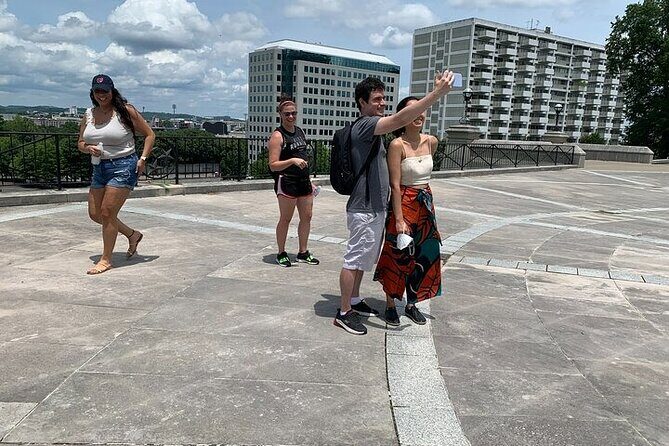
One of the best parts of this style of scavenger hunt is the flexibility. You’ll get bonus challenges that let you customize the game, which means you can adjust to your group’s energy.
Want to move faster and keep it playful? Focus on the main clue path and pick a few bonus tasks along the way. Traveling with a mixed-age group? Use bonus challenges as a way to include everyone, even if the reading or puzzling part isn’t everyone’s favorite.
This is also where the hunt’s “don’t be boring” personality comes through. You’ll accept wacky tasks and get pushed out of your comfort zone in small, manageable ways.
Just remember the drawback that came up for families: some teams felt the tasks involving other people were tougher than expected, especially if the kids weren’t in the mood to talk. If your group is shy, consider setting expectations at the start so nobody gets frustrated.
Phone and GPS rules: the one thing you must get right
Since the host is remote, you’ll need to treat your phone like part of your gear. The hunt requires:
- A fully charged smart phone per team (with GPS)
- Ability to send and receive data plus send photos, videos, and text messages
- A working domestic phone number in your reservation (this is required for the hunt to be possible)
If you have an international phone number or run into technical trouble, you’ll be able to complete the game using WhatsApp or email. You can provide the needed contact info through a Viator message in advance of your hunt.
My advice is simple: test your phone before you meet. Make sure GPS is working, your camera can upload/send photos, and you have enough battery for a full 2-hour outing (plus a little buffer).
Also, make sure your group can share the job. Someone should be ready to read prompts and someone should be ready to type and send messages quickly. That teamwork keeps the hunt smooth instead of bogging down.
Who this scavenger hunt fits best (and who might want a different plan)
This one is explicitly family and dog friendly, and it also works well for tourists, locals, and group outings. It’s marketed for corporate groups, bachelor(ette)s, birthdays, friend trips, and curious locals who want an active way to see Boston.
Here’s when it’s especially a good match:
- Your group likes doing things together, not just taking photos
- You’re okay solving clues on the go
- You want a guided structure without a traditional tour script
- You’re comfortable sending quick texts and photo updates
Here’s when you should think twice:
- If your group hates interacting with people, some challenges may feel awkward
- If you’re traveling with kids, bring energy management. One family noted their kids weren’t feeling the tasks an hour in, and they wanted clue leads that pointed more directly to the next location
If you want a more passive sightseeing experience, this won’t feel like that. Boston Bash is a “participate” activity. It’s designed for movement, teamwork, and playful prompts.
Price and value: making sure it feels worth it
The hunt is priced per person, and it’s easy to do the math wrong if you’re only thinking about adults. One review flagged a concern about paying around the $30-per-person level with limited discounts for two kids under 12.
So here’s how I’d think about value before you book:
- If your group is small and everyone will actively participate, you’ll likely feel the value quickly
- If you’re bringing kids who may not enjoy talking-to-people-style tasks, the experience may cost more than you’re hoping for
- If you want a structured way to explore without paying for a full guided tour, you can see the appeal fast—especially since you get live support
To be honest, this is best when your group is in the mood for tasks. If your party is more “we’ll walk and look,” choose a different style of Boston tour.
A quick practical tip before you start
Arrive early enough to settle before the game kicks off. Once you start, your time disappears fast—solving, walking, checking, sending photos, and keeping everyone moving. If your team is split, decide roles in the first minutes: clue reader, navigator, and sender of updates.
You’ll have an easier time staying focused, and you’ll spend more of the two hours exploring instead of troubleshooting.
Should you book Boston Bash?
Book it if you want a fun, interactive way to experience Boston with live remote hosting, photo check-ins, clue-solving momentum, and an app-based team ranking that keeps things moving. It’s also a solid choice for mixed groups because it’s family and dog friendly, and you’re not locked into a rigid pace.
Skip it or consider another option if your group is shy about interacting with locals or if you’re traveling with kids who need short, simple goals. In that case, the hunt’s wacky tasks and occasional people-based challenges could feel like extra work.
If you’re the type who likes getting out, laughing a little, and learning as you go, Boston Bash is a smart bet. It’s Boston sightseeing with a scoreboard.